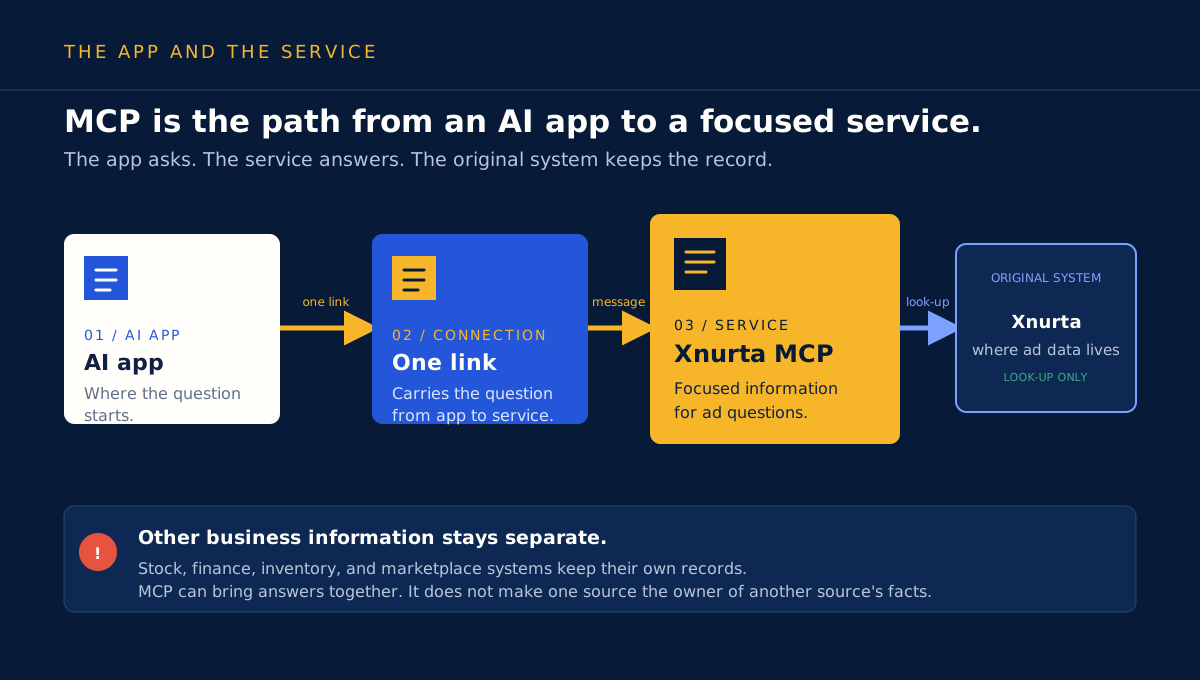
01 / Who does whatDownload SVG
The app asks. The connection carries the question. Xnurta answers. The original system keeps the record.
See the pieces before you use them
These pictures show how an AI app reaches Xnurta, where the information comes from, and which system to trust for each part of a marketplace question.

Picture cards
Download any picture as an SVG for team notes, onboarding, or a working document.
The app asks. The connection carries the question. Xnurta answers. The original system keeps the record.
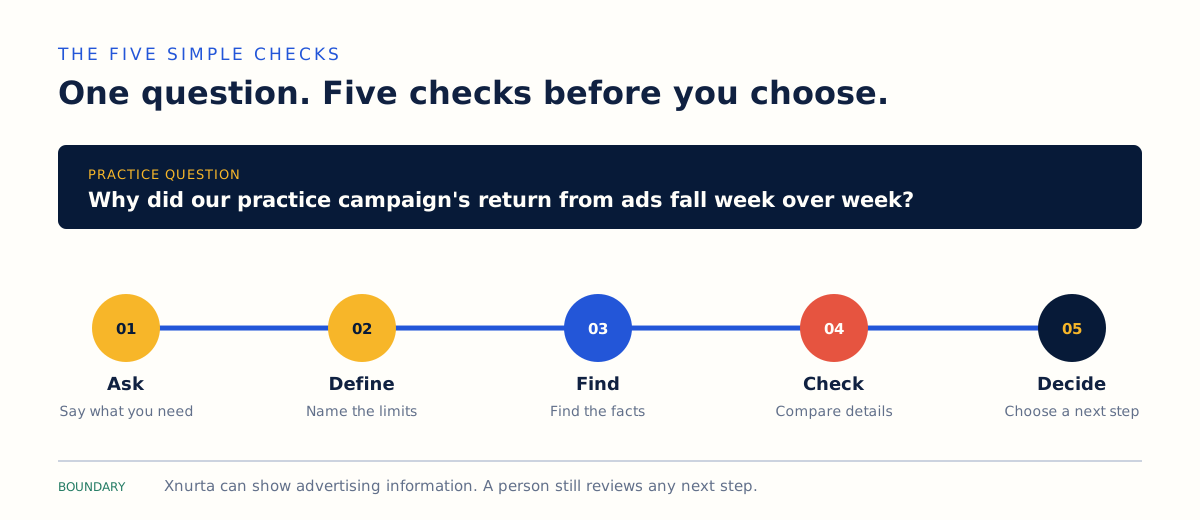
Move one question through five small checks before you choose a next step.
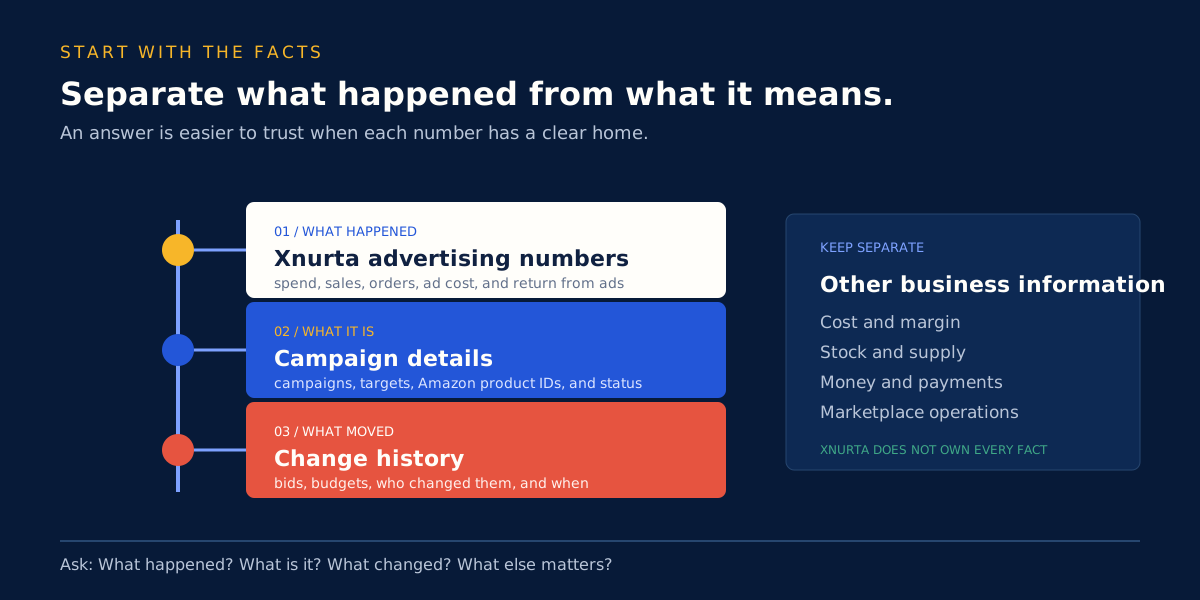
Start with what happened, then ask what the item is and what changed. Keep stock and money in their own lane.
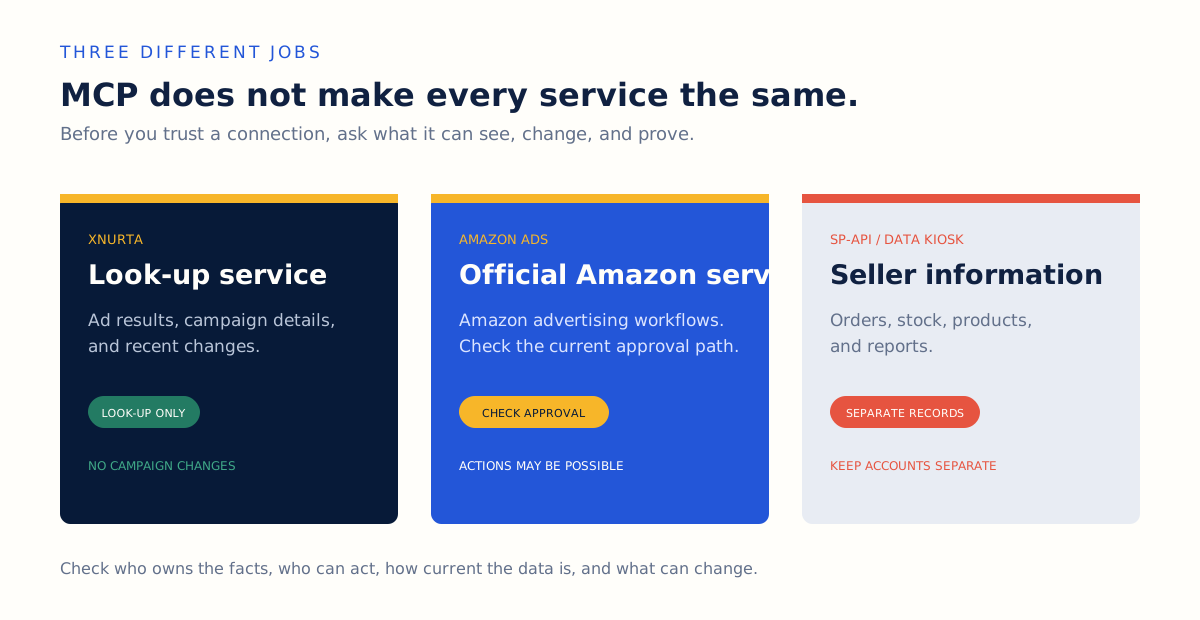
Different services can use MCP and still have different jobs, account rules, and kinds of information.
Choose your next move
Use the formats together: the PDF explains the idea, the pictures make it easier to remember, and the video lets you hear the process.
Use the PDF for the full explanation, examples, and a short checklist you can use at work.
Open the PDF guide ->Use the diagrams in onboarding or a working session when the team needs the same picture.
Start with the four pictures ->Use the short video to hear one question move from the first ask to a next step another person can review.
Watch the lesson ->